ScreenLoupe
2026 · A fast, free screen magnifier and measuring tool for Windows, available on the Microsoft Store.
Technologies: C#, .NET 10, Native AOT, DirectX interop, Velox UI
Get it from the Microsoft Store
ScreenLoupe is a no-frills screen magnifier and measuring tool for anyone who needs to look closely at what is actually on their screen: pixel colors, exact coordinates, tiny UI details or subtle rendering glitches. It is free, without ads and without telemetry. I built it for myself first, as a designer’s and developer’s tool for checking pixel-perfect alignment.
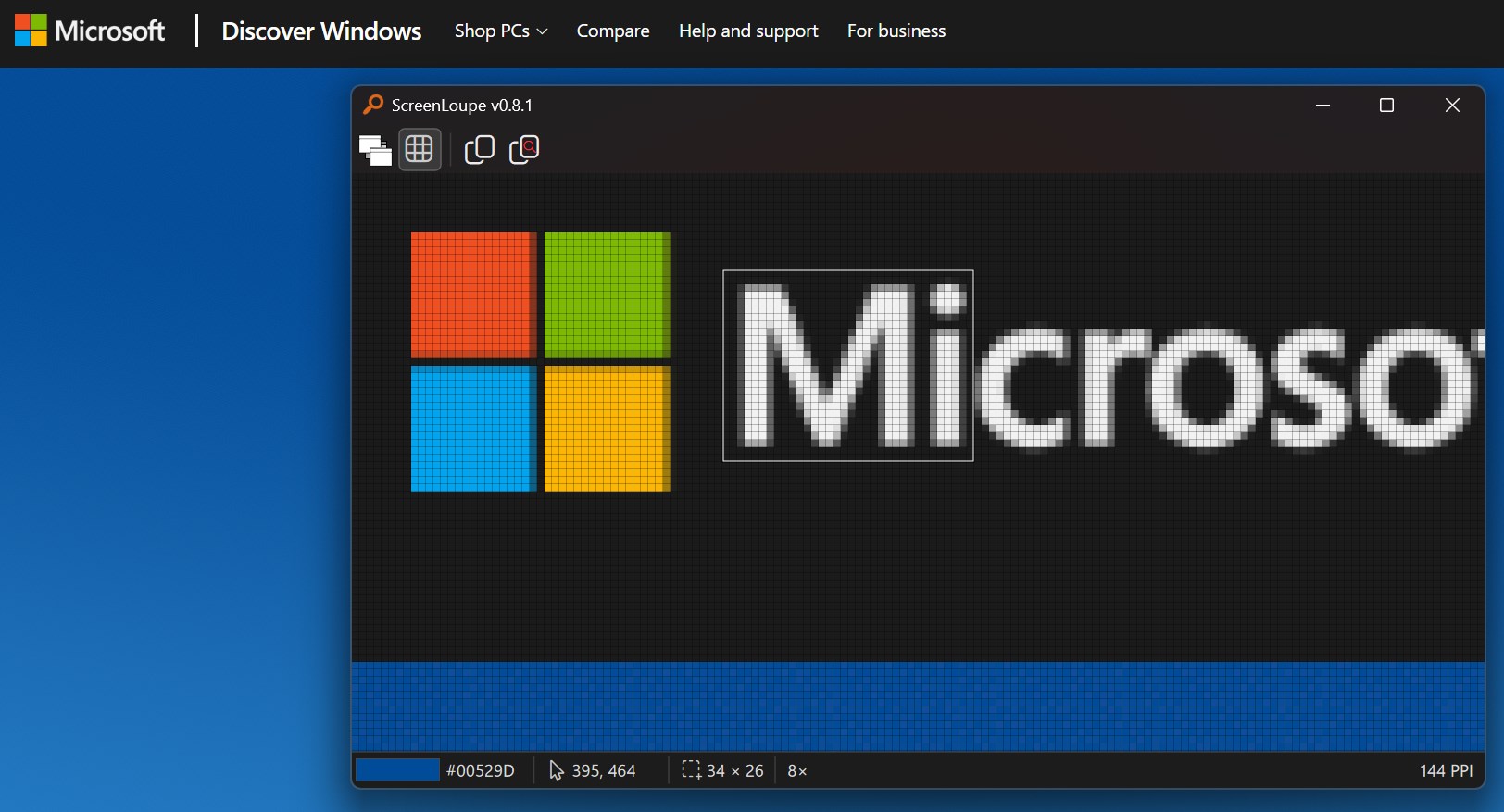
Key features:
- magnify any part of the screen, with the zoom level set by mouse wheel or the + / - keys
- pixel grid for zoom levels of 4× and above
- color value under the cursor (press Shift+C to copy it) and the cursor’s screen coordinates
- pixel-perfect rectangular selection with its size shown in the status bar, resizable with the mouse (Esc clears it)
- copy the selected area as it is on screen (Ctrl+C), or magnified (Ctrl+Shift+C)
- always-on-top mode, per-monitor DPI awareness, and it remembers its position and zoom level
- its own window is excluded from the captured image, so it never magnifies itself
A rewrite for speed
ScreenLoupe is the 2026 successor of ScreenZoom+, which I wrote in WPF. That version worked well, but a tool you open for a few seconds should be ready when you are. The WPF application needed about 3 seconds to start, which is too slow for such a small utility.
So I rewrote it without WPF, in plain C# with direct DirectX interop calls and my own small UI framework, Velox. The result is a self-contained executable of only a few megabytes, compiled ahead of time with Native AOT, with no separate .NET runtime to install.
A few design decisions worth mentioning:
- A small, purpose-built UI layer. Velox provides only what this kind of tool needs (windows, toolbars, status bar, tool tips), which keeps start-up fast and keeps the rendering path under my control.
- Built for Native AOT from the start. No runtime code generation and no reflection-heavy code. Settings are stored in the Windows registry instead of a serialized file.
- A Store build without network access. Microsoft Store policy does not allow an application to update itself, so the self-updater that the direct-download build contains is compiled out of the Store build, and the Store version makes no network calls at all.